
Elementor
What you need: Elementor (and Elementor Pro for its widgets). The Elementor Assets crawler works in the free version of Simply Static. The integration's asset export, the Static Search widget, and pushing from Elementor all require Simply Static Pro.
Elementor pages rely on widget-specific CSS and JavaScript, and some widgets pull in data behind the scenes. Simply Static's Elementor integration makes sure all of that is exported correctly, so your Elementor and Elementor Pro designs look and behave the same on your static site. It also adds a couple of handy shortcuts inside the Elementor editor.
Enable the integration
Go to Simply Static > Integrations and turn on Elementor.
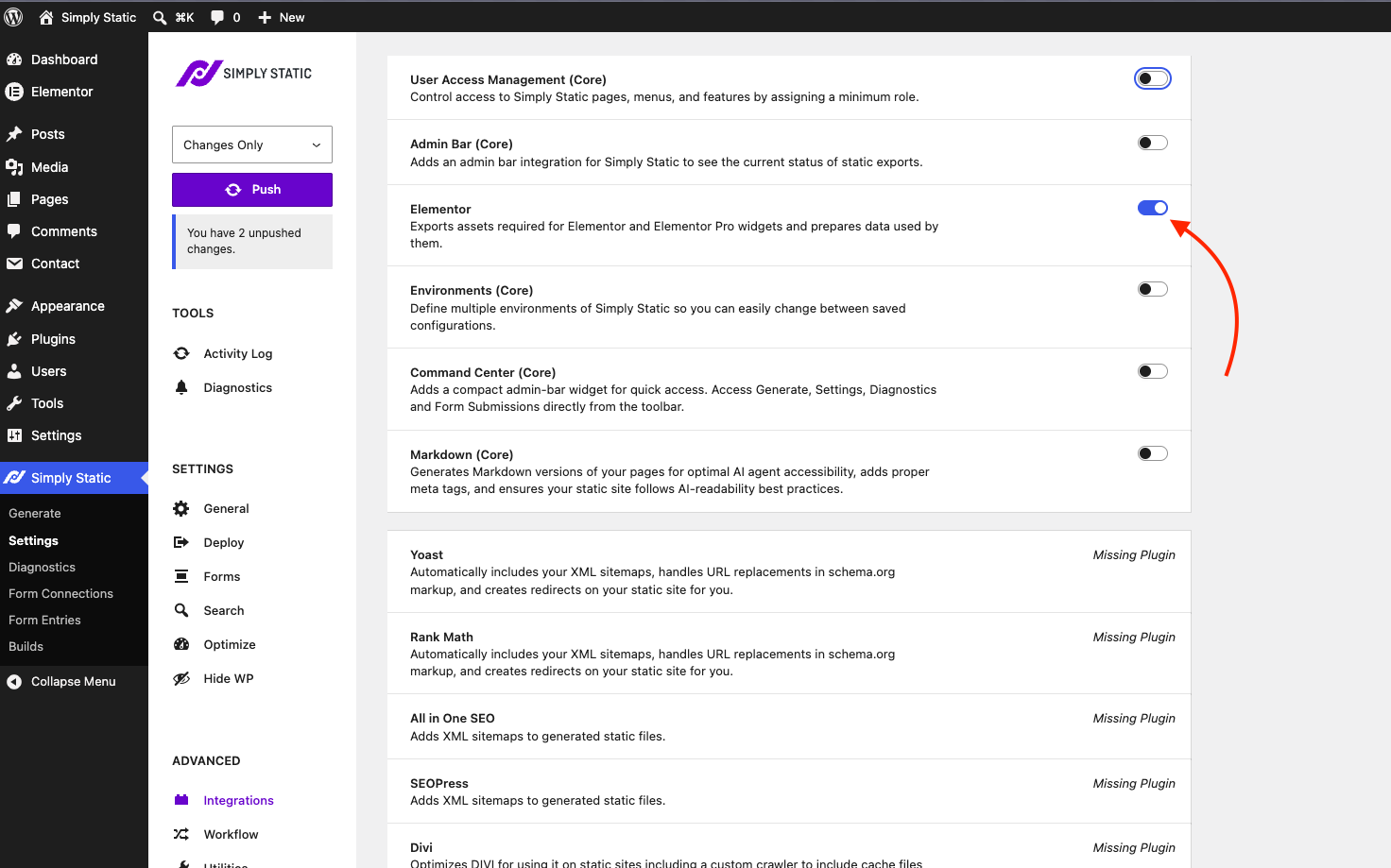
This exports the assets required for Elementor and Elementor Pro widgets and prepares the data that those widgets use, so your pages render correctly once they're static. This integration is part of Simply Static Pro.
Make sure Elementor assets are crawled
Unlike the rest of the integration, the Elementor Assets crawler works in both the free and Pro versions of Simply Static. For the most reliable results, check your Enhanced Crawl settings under Simply Static > General.
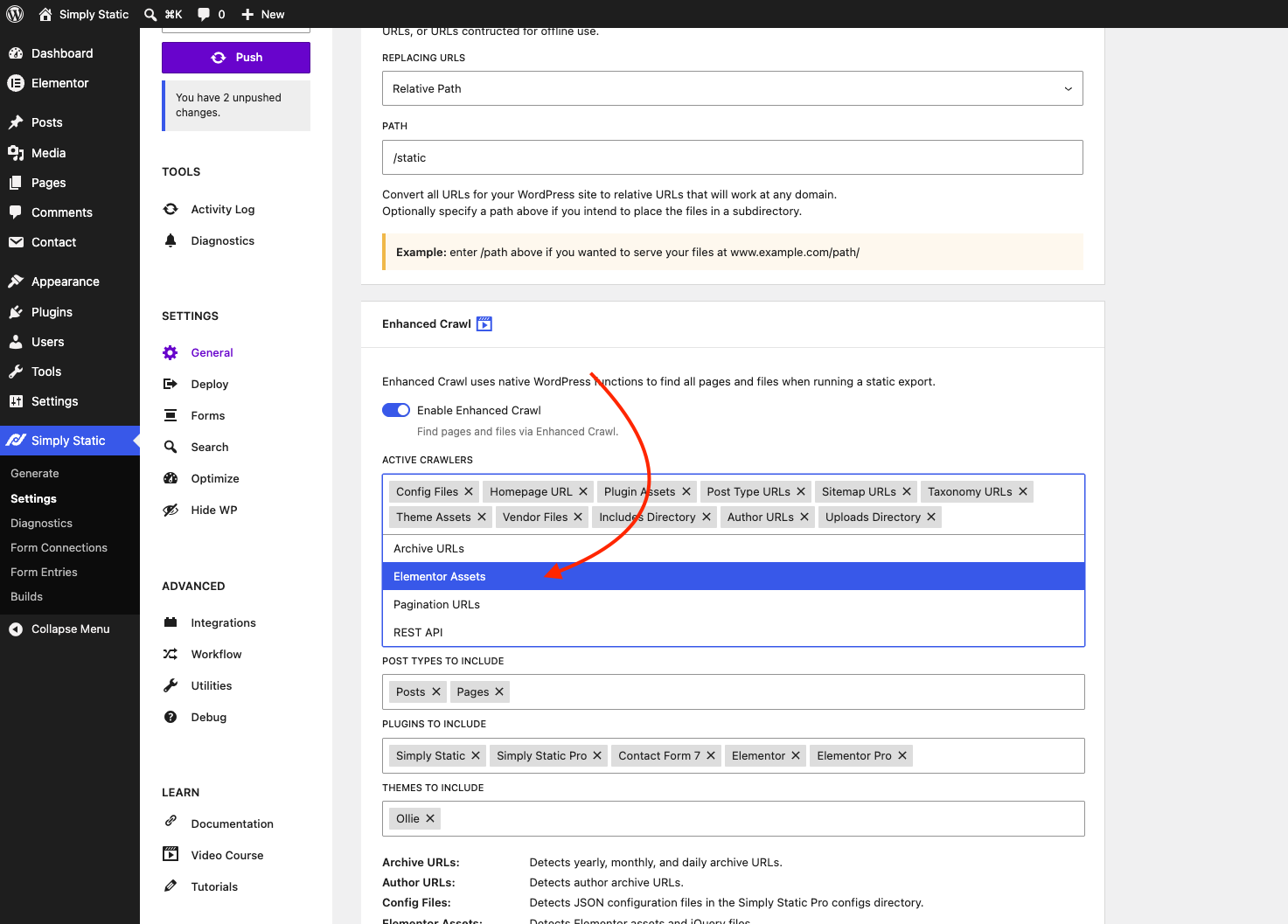
- Add Elementor Assets to the Active Crawlers list. This detects Elementor assets and jQuery files, so nothing is missed during a push.
- Add Elementor (and Elementor Pro, if you use it) to Plugins to include.
Enhanced Crawl uses native WordPress functions to find all the pages and files your site needs. See Enhanced Crawl for the full rundown.
Add a static search box in Elementor
With the integration active and search enabled, Simply Static adds its own widget group to the Elementor editor. Open the Widgets panel, find the Simply Static category, and drag in the Static Search widget to place a working search box anywhere in your design.
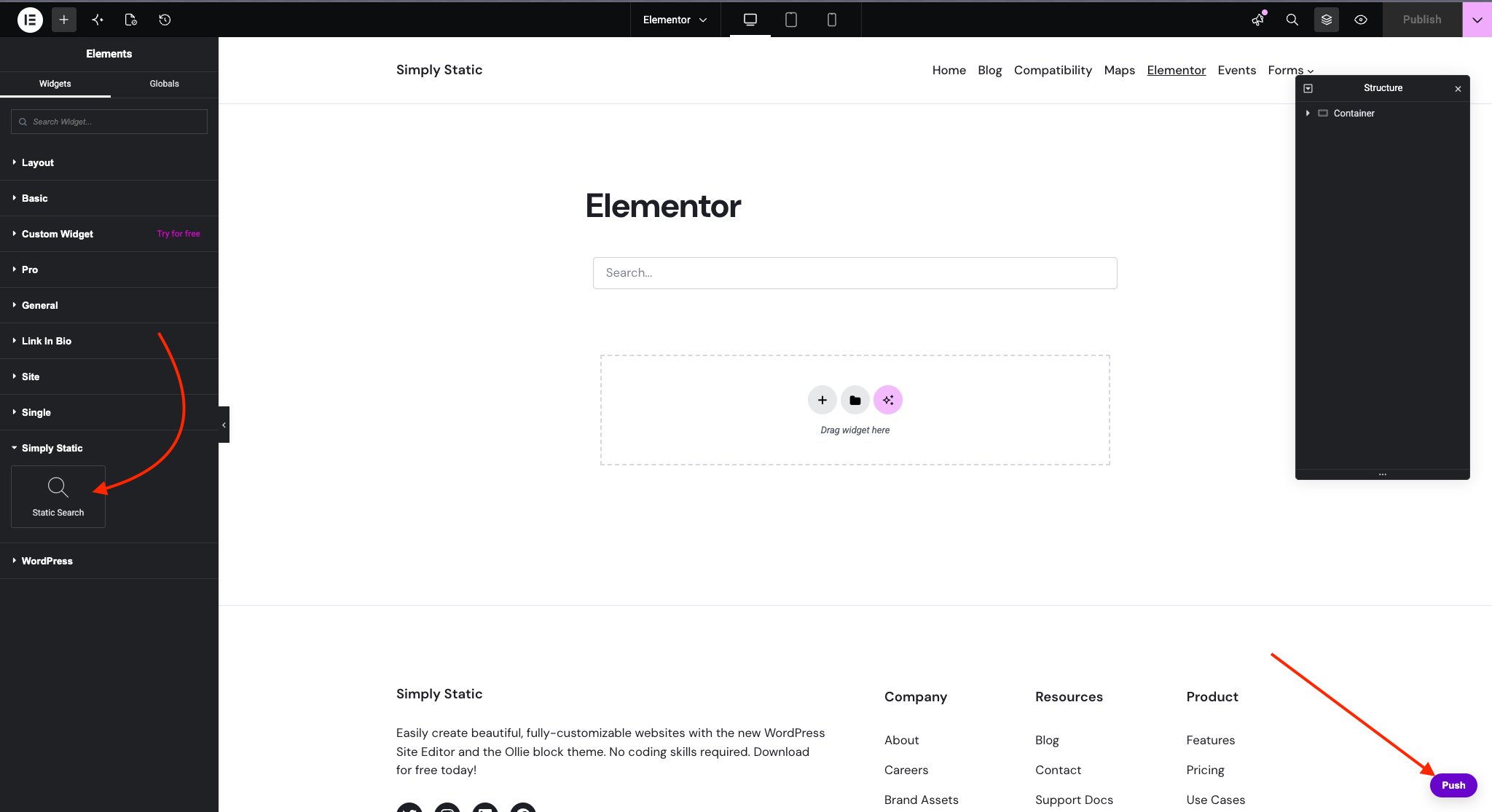
To configure the search itself, see Set up Fuse JS or Set up Algolia.
Push directly from Elementor
The integration also adds a Push button inside the Elementor editor, in the bottom-right corner. Click it to run a Single Push of the page you're working on, so you can update just that page on your static site without leaving Elementor.
See Update static site for more on Single Push.